“My View” Screens
Project Overview
Project Evolution Informs Design Choices
The “My View” section in Service Now emerged as a revolutionary addition tailored for Microsoft Developers. Originally conceived as a feature-rich, multi-dimensional interface, it soon became evident that its intricate nature might not align seamlessly with user requirements. The objective became clear: a shift was necessary from a dense, layered design to a more streamlined and user-centric approach. Design thinking was chosen as the lens through which this transformation would be realized
Tools Utilized:
Sketch, Adobe XD, Adobe Animate
Study Duration:
3 months
The Team:
UX Designer & Researcher: Michael Long
Project Manager: Andrew Jewsbury
Developers: Multiple
Context
From Complexity to Clarity in Tool Navigation
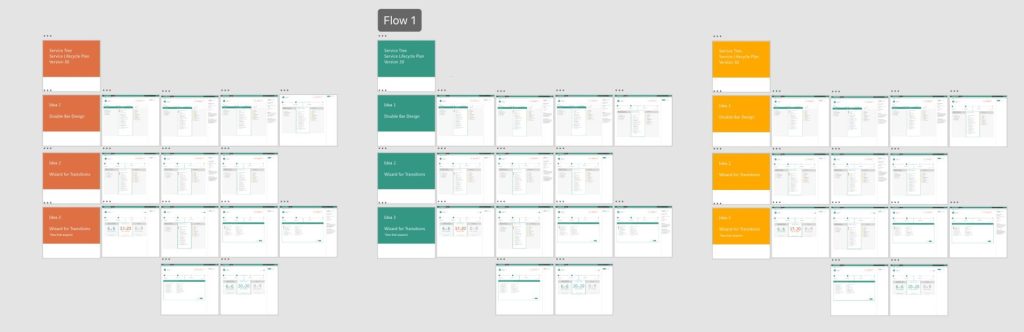
Developers previously needed help with existing tools’ complexity and unclear navigational structure, leading to confusion about their position in the lifecycle process and subsequent steps. In response, Service Now aimed to streamline its “My View” section for Microsoft Developers. The new design prioritized simplicity, segmenting information, and introducing gamification elements. This evolution transitioned the design from a broad, overwhelming perspective to a concise focus on the developer’s current process stage. By consolidating multiple facets into one intuitive dashboard, the goal was to offer a seamless and user-friendly experience for every Microsoft Developer.

Many Tools Must Be Used Together

Each Tool has Multiple Processes
Research Methods
Research Anchors the User Experience
A multi-pronged approach was employed: in-depth user interviews to gather qualitative insights and prototype testing to evaluate interface effectiveness. These methods were pivotal in capturing the nuances of the user experience and bridging the gap between the initial design and user expectations.
Objective
A Vision for an Intuitive Interface
The overarching aim was to transform the “My View” interface, ensuring it’s not only intuitive but also motivating. The reimagined design would need to capture the essence of the user’s journey, streamlining tasks while enhancing engagement.
Design Thinking Approach & Methodology
Delving Deep into User Psyche
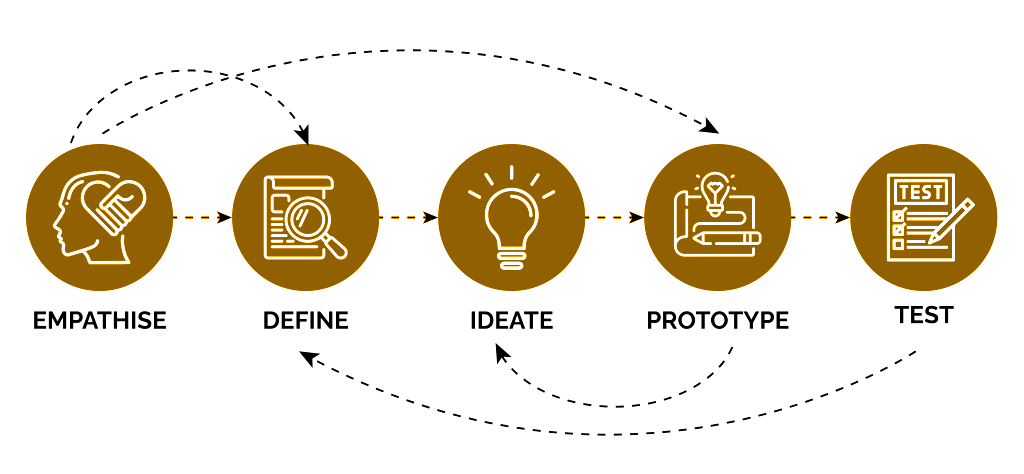
Empathize: The foundational phase involved delving deep into user experiences. Extended interview sessions with Microsoft Developers captured their aspirations, pain points, and ideal workflow scenarios. This empathy-driven approach served as the cornerstone for subsequent phases.
Define: With raw data in hand, the team went into an analysis mode, sifting through feedback to identify recurring themes. The insights illuminated the primary challenges tied to the multi-phase interface and crystallized the need for simplicity.
Ideate: Free from constraints and past assumptions, brainstorming sessions burgeoned with creative solutions. Multiple design sprints occurred, each building on the insights from the previous one, leading to a holistic set of innovative design possibilities.
Prototype: Leveraging advanced prototyping tools, tangible representations of ideas took form. Multiple prototypes were developed, each catering to different feedback segments, offering a visual and interactive experience for further testing.
Test: A cohort of developers became the testers, experiencing the prototypes firsthand. Iterative feedback loops ensured each prototype was refined, aligning more closely with user needs with every iteration.
Key Research Findings
Research Reveals Three Core Insights
Theme 1: Developers gravitated towards simplicity; a clean, intuitive layout over a cluttered one.
Theme 2: Gamification wasn’t just a novelty; when integrated meaningfully, it acted as a powerful motivator, keeping developers on track and engaged.
Theme 3: Focus on the task at hand to limit the number of options
Design Decisions
Decision 1: Process Simplification
Initially, our design approach presented a comprehensive breakdown of the entire process, which many found to be intricate and overwhelming. Recognizing the need for change, I shifted towards a more streamlined design. Instead of presenting users with every detail of the process, I chose to emphasize only the stage they were actively engaged in. This ensured developers weren’t overwhelmed by information irrelevant to their current phase, allowing them to remain singularly focused. As a result, the redesigned interface was cleaner, more concise, and tailored to the user’s immediate needs. This approach effectively removed potential distractions, enhancing user efficiency. By prioritizing the most pertinent tasks and data, I ensured a smoother and more intuitive user journey. My main goal was to make sure developers had a clear, uncomplicated path at every step, without the clutter of unnecessary details.
Idea 1: Descriptive but hard to understand
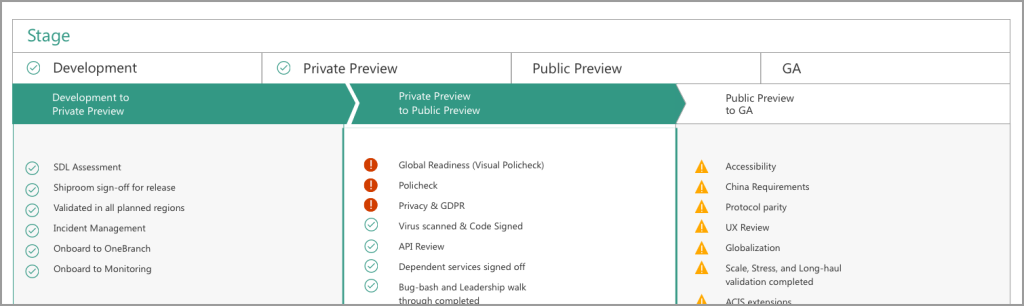
Idea 2: Simplify the process
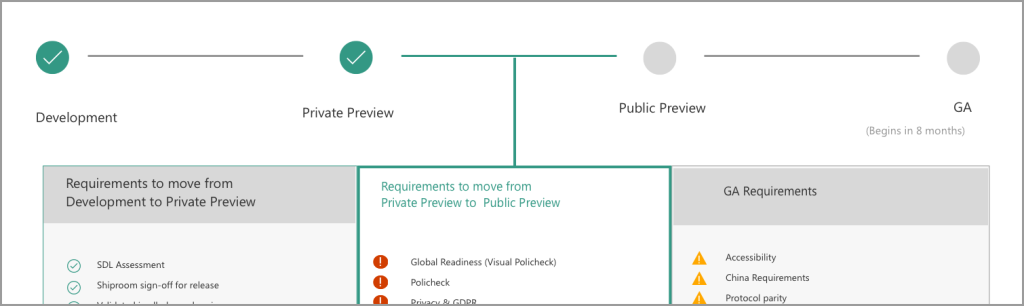
Idea 3: Simple View Focussed on the Current Step
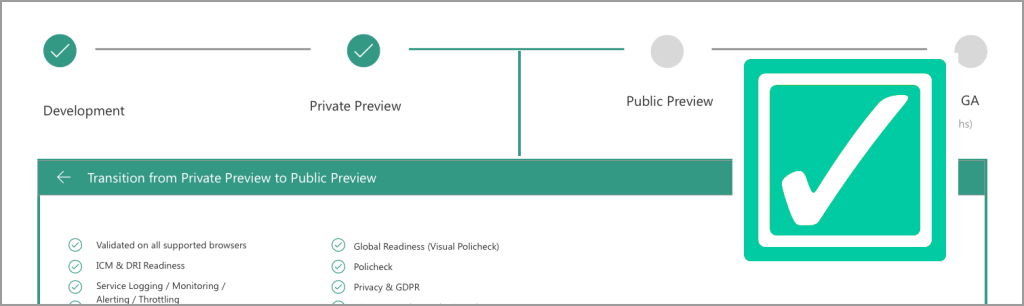
Decision 2: Gamification of Processes
Gamification needed grounding. Rather than random elements, the team aimed for relevant, task-driven gamification cues, making the journey rewarding and informative.
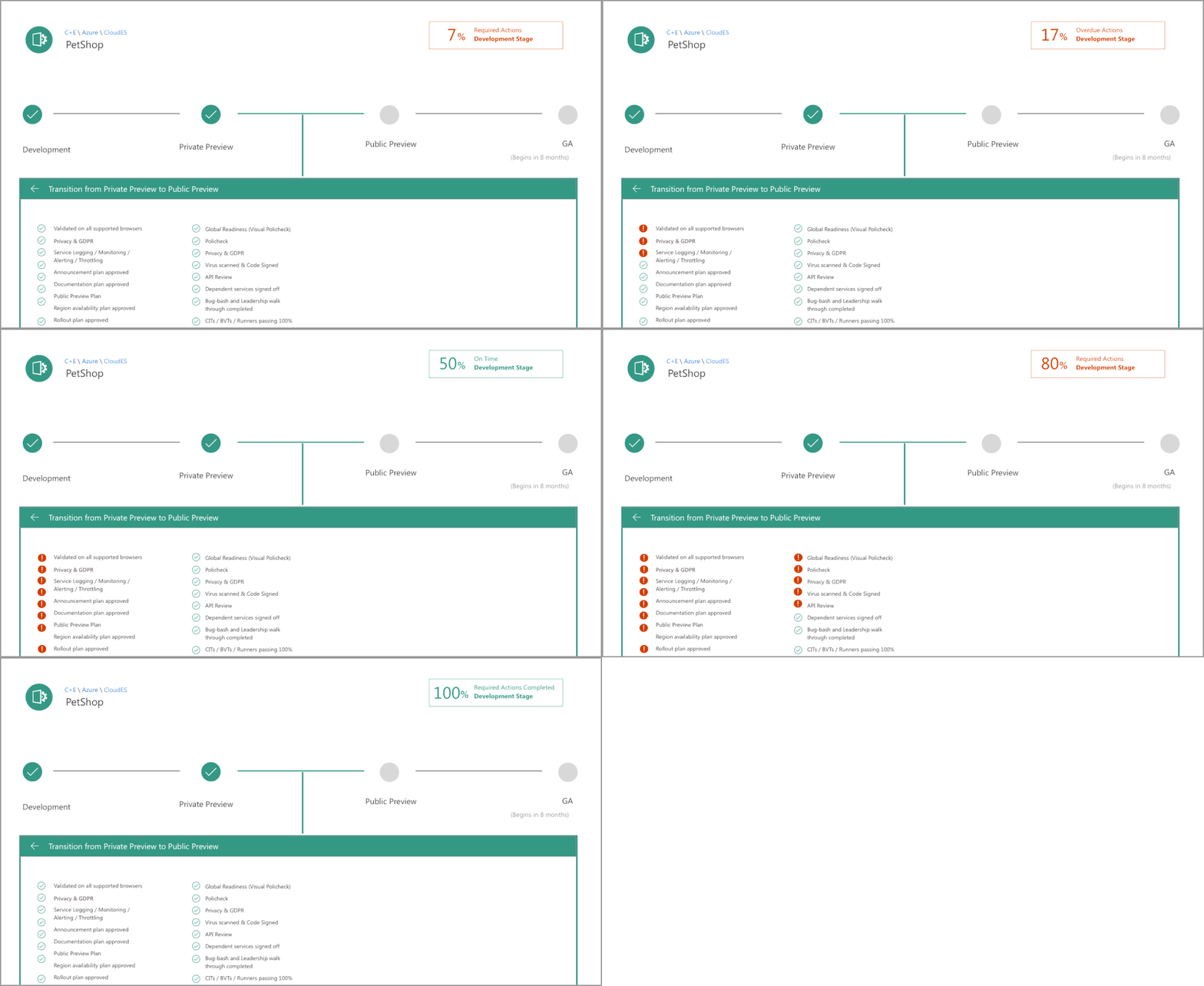
Outcomes:
The newly minted “My View” page is a beacon of user-centric design, marrying simplicity with engagement, and offering developers a streamlined, rewarding experience.
Insights & Reflections:
The journey underscored the transformative power of design thinking. When rooted in empathy, bolstered by iterative testing, and fueled by innovation, design can truly resonate with its intended audience.
Future Directions:
The project’s success has ignited a spark. The team is now looking at other facets of the Service Now platform, eager to embed design thinking deeper and foster more user-centric innovations.